

Google AI tools help voice creators, designers, developers, and administrators work smarter. These solutions boost speed, quality, and collaboration. Furthermore, Google bundles many tools under unified AI plans.
Everyday Assistance & Productivity
These tools support daily workflows across devices and platforms. They improve writing, research, coding, and communication tasks. Furthermore, they integrate deeply with Google services. Developers streamline coding and planning efficiently. Meanwhile, office administrators automate documentation easily. In fact, voice creators draft scripts faster. Google includes many of these tools in AI subscription plans. However, feature access depends on plan tier. Therefore, users should review bundle limits carefully.
Gemini (App & Web)
Gemini works as Google’s primary AI assistant. It supports chatting, coding, and project planning tasks. Furthermore, it connects securely with Gmail, Drive, and Photos. Users ask personal workflow questions easily. In fact, it retrieves travel details instantly. Developers generate and debug code quickly. Meanwhile, teams create structured plans efficiently. The free tier offers basic AI chat access. However, advanced features require paid AI plans. Therefore, professionals unlock deeper reasoning power.
Gemini Live
Gemini Live delivers real-time voice conversations on mobile. It supports Android and iOS platforms smoothly. Furthermore, it enables natural back-and-forth dialogue. Voice creators refine scripts interactively. Meanwhile, developers brainstorm ideas hands-free. In addition, administrators dictate notes quickly. The tool enhances productivity during travel. However, full access requires eligible AI plans. Therefore, professionals gain seamless voice assistance.
NotebookLM
NotebookLM acts as a smart AI research assistant. Users upload PDFs and web links securely. It generates summaries and study guides quickly. Furthermore, it creates AI-powered Deep Dive podcasts. Designers analyze brand content efficiently. Meanwhile, developers review documentation faster. In fact, teams improve knowledge sharing greatly. The tool offers free core features. However, advanced usage links to paid Workspace plans. Consequently, organizations enhance research productivity.
Google Workspace AI
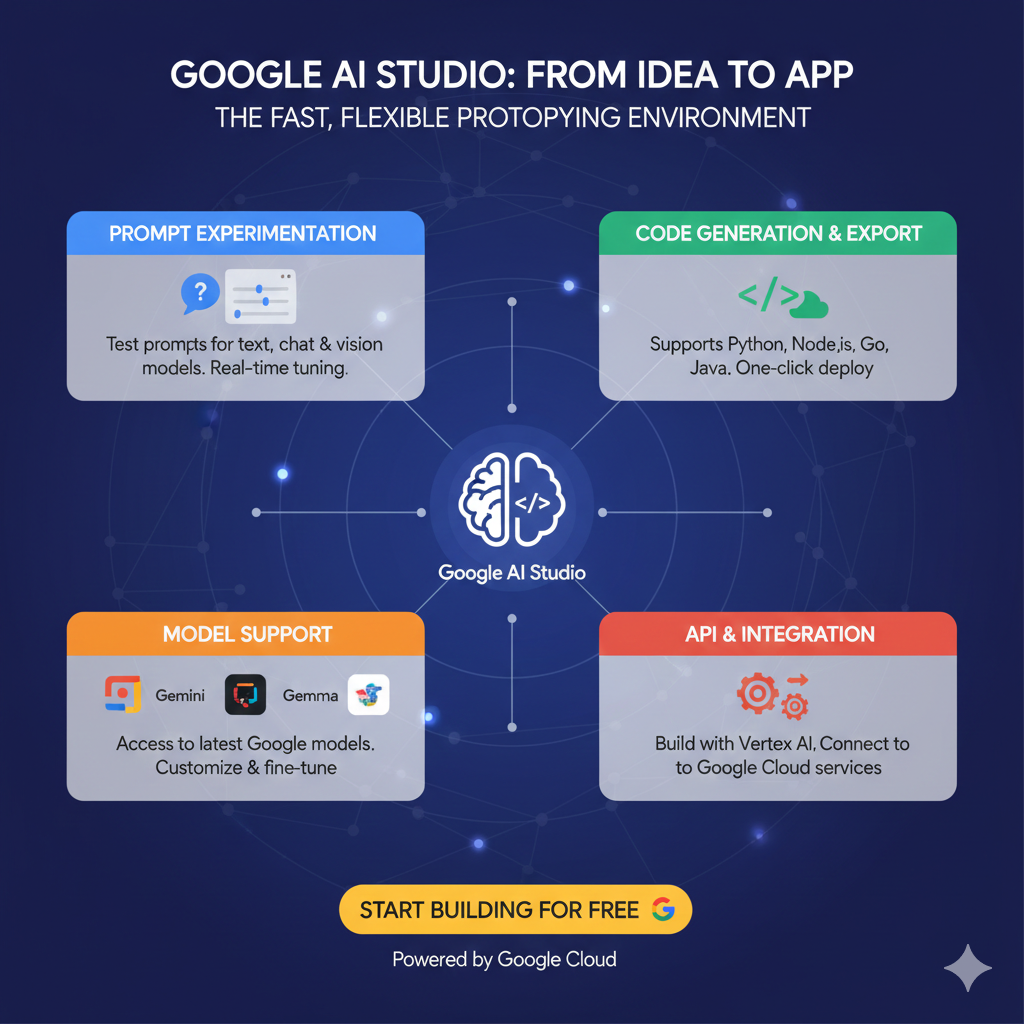
Workspace AI integrates directly into Docs and Gmail. It also enhances Sheets and Slides workflows. Furthermore, it offers writing and data analysis help. Administrators draft reports faster. Meanwhile, developers summarize updates efficiently. In addition, teams collaborate with smart suggestions. The tool requires a Workspace subscription. However, higher tiers unlock advanced AI features. Therefore, businesses boost operational speed.
| Tool | Best For | Mobile | Included in Paid Plans |
|---|---|---|---|
| Gemini | Chat, Coding | Yes | Yes |
| Gemini Live | Voice Dialogue | Yes | Yes |
| NotebookLM | Research | Web | Yes |
| Workspace AI | Office Tasks | Yes | Yes |
Creative & Media Tools
These tools focus on image, video, and music generation. They support designers, voice artists, and developers. Furthermore, they enable rapid creative prototyping. Teams produce high-quality visuals quickly. Meanwhile, marketers design campaigns efficiently. In fact, these tools reduce production costs significantly. Many remain experimental in Google Labs. However, paid plans may expand usage limits. Consequently, creators achieve studio-level output.
Nano Banana
Nano Banana generates high-fidelity images. It renders text inside visuals accurately. Furthermore, it supports iterative refinements. Designers create brand assets quickly. Meanwhile, developers prototype UI elements visually. In fact, it enhances storytelling quality. Access links to advanced AI plans. However, Google has not listed standalone pricing. Therefore, creatives explore powerful image workflows.
Veo 3.1
Veo 3.1 creates cinematic video from text prompts. It generates synchronized native audio automatically. Furthermore, it delivers realistic motion effects. Voice creators test narration visually. Meanwhile, developers create product demos quickly. In addition, teams build marketing clips efficiently. Veo operates in limited preview access. However, enterprise pricing depends on usage. Consequently, creators achieve high-definition production quality.
MusicFX & ImageFX
MusicFX generates AI music loops instantly. ImageFX produces photorealistic visuals quickly. Furthermore, both tools encourage experimentation. Designers test ideas without complex setup. Meanwhile, voice artists create background tracks easily. In fact, these tools speed up creative testing. They remain free in Google Labs. However, usage limits may apply. Therefore, creators enjoy flexible sandbox environments.
Project Genie
Project Genie enables interactive 2D world building. Developers create playable environments quickly. Furthermore, designers explore immersive storytelling. Educators build engaging simulations easily. Meanwhile, innovators prototype game ideas rapidly. In fact, the tool supports dynamic interactions. It remains experimental in Labs. However, Google has not published pricing. Therefore, users explore creative development freely.
| Tool | Content Type | Audio | Status |
|---|---|---|---|
| Nano Banana | Image | No | Labs |
| Veo 3.1 | Video | Yes | Preview |
| MusicFX | Music | Yes | Free Labs |
| Project Genie | Interactive | No | Labs |
Specialized & Experimental Tools (Google Labs)
Google Labs releases focused mini AI applications. These tools serve creative and business tasks. Furthermore, they enable rapid innovation cycles. Developers automate workflows easily. Meanwhile, marketers generate campaign assets quickly. In fact, small teams benefit greatly. Most tools remain experimental. However, Google may integrate them into paid plans later. Therefore, early adopters gain innovation advantages.
Opal
Opal builds mini apps using natural language. It removes coding barriers completely. Furthermore, teams automate repetitive processes easily. Meanwhile, startups launch micro tools faster. In fact, it simplifies workflow design greatly. However, pricing details remain unavailable publicly.
Whisk
Whisk enables visual-to-visual creative prompts. Designers upload images instead of text. Furthermore, it generates creative variations instantly. Meanwhile, agencies refine brand concepts efficiently. However, Google lists no separate pricing.
Pomelli
Pomelli creates branded marketing campaigns for small businesses. It generates social creatives quickly. Furthermore, it ensures consistent visual identity. Meanwhile, administrators manage campaigns smoothly. However, pricing remains undisclosed.
Food Mood
Food Mood generates playful fusion recipes instantly. It blends global cuisines creatively. Furthermore, content creators build engaging posts quickly. Meanwhile, businesses test menu innovation easily. Finally, users enjoy free experimental access.
| Tool | Purpose | Best For | Pricing |
|---|---|---|---|
| Opal | Mini Apps | Developers | Labs |
| Whisk | Visual Design | Designers | Labs |
| Pomelli | Marketing | Small Business | Labs |
| Food Mood | Recipes | Creators | Free |
Google AI Plans & Pricing
Google bundles AI tools into subscription plans. AI Plus costs $19.99 per month. It includes Gemini Advanced and select creative tools. AI Pro costs approximately $29.99 per month. It offers higher usage limits and expanded features. AI Ultra provides enterprise-grade limits. Pricing varies by region and usage. Therefore, businesses should verify local pricing details.
Frequently Asked Questions
1. Do all tools come in one bundle?
Google bundles many tools under AI subscription plans.
2. What does AI Plus include?
It includes Gemini Advanced and selected creative tools.
3. What is AI Pro pricing?
AI Pro costs about $29.99 monthly.
4. Who benefits most from Gemini?
Developers and administrators benefit greatly.
5. Are Labs tools free?
Many Labs tools offer free experimental access.
6. Can designers use Veo?
Yes, Veo supports cinematic video generation.
7. Does Workspace AI require subscription?
Yes, it requires a paid Workspace plan.
8. Are plans region-specific?
Yes, pricing and access vary by country.
Visit our other blogs on AI Tools
Power Automate: Best Workflow Automation Tools
Best & Top Nanonets Software: Full 2026 Review
Top & Best Kavout AI Stock Picker: Better Than Others