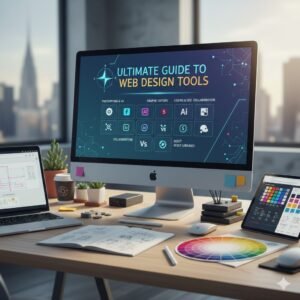
Web design today requires the right tools to create modern, user-friendly, and visually stunning websites. From UI design and prototyping to development and collaboration, the right tools can boost creativity and productivity.
Whether you’re a beginner or a professional, you’ll find tools that fit your workflow and help you design better websites faster.
🎨 1. Figma — UI/UX Design & Collaboration

- Industry standard for web and app design.
- Real-time collaboration, design systems, components, and prototyping.
Best for: Teams, agencies, and remote design workflows.
🌐 2. Webflow — Visual Website Builder

- Build fully responsive sites visually and export clean code.
- Great for designers who want design and deployment without heavy coding.
Best for: Professional sites, landing pages, startups.
💡 3. Framer — Interactive Prototyping & Site Design

- Makes modern, animated prototypes and even live websites.
- Helps take designs from concept to working experience fast.
Best for: High-interaction designs and client demos.
🧠 4. Penpot — Open-Source Design Tool

- Browser-based, Figma-compatible, and integrates with developer workflows.
- Great for teams wanting flexibility and open formats.
Best for: Open-source projects & collaborative design.
🧭 5. Adobe XD — Prototyping & Wireframes
- Vector design and interactive prototypes.
- Integrates well with other Adobe Creative Cloud tools.
Best for: UI mockups and professional prototypes.
🧢 6. Canva — Graphics & Web Assets
- Drag-and-drop graphic design for icons, banners, social graphics, and UI elements.
- Beginner-friendly with templates and AI support.
Best for: Visual assets and quick design tasks.
📐 7. Boxy SVG — Vector Graphics Editor
- Excellent for creating logos, icons, and illustrations used in web layouts.
- Supports SVG-format graphics—ideal for performance-friendly websites.
Best for: Icons & scalable graphics.
🧪 8. Overflow — UX Flows & Storytelling

- Turns UI screens into informative user flow diagrams.
- Helpful for client presentations and developer handoffs.
Best for: UX planning and documentation.
💻 9. Adobe Dreamweaver — Code-Friendly Web Design
- Real-time code editing with live preview.
- Ideal for designers who prefer design and direct HTML/CSS/JS control.
Best for: Hands-on code designers.
🧠 10. Adobe Photoshop — Raster-based design tool
- Photographers
- Graphic designers
- Digital artists
Best for: Photo editing, retouching, Social media creatives, banners, Digital artwork & thumbnails, and Website images (not full websites)
👨🏻💻11. Adobe Illustrator — Vector-based design tool
- Logo design & branding
- Icons & illustrations
- Infographics
- Print designs (business cards, posters)
Best for Brand designers, Logo designers, and Illustration artists
🚀12. Elementor — WordPress Page Builder (No-Code Tool)

- Building websites visually
- Landing pages & portfolios
- Business & blog websites
- Responsive web pages
Best for: Web designers, Beginners (no coding needed), and Freelancers & business owners
✏️13. Sketch — UI/UX Design Tool (macOS only)
- UI/UX design
- Web & mobile app layouts
- Wireframes & prototypes
Best for: UI/UX designers and Product designers
Buy on Amazon

Visit our other blogs
Designer’s Learning Roadmap: Essential Web Design Tools Guide
Best Free SEO Tools for Beginners and Small Business Websites
Best Skills to Learn in 2026 for Students
Best Skills to Learn in 2026 for IT Students