

Introduction to Microsoft 365 Copilot
Microsoft 365 Copilot brings artificial intelligence into everyday office work. It helps Microsoft Office users complete tasks faster and more efficiently. In fact, Copilot works inside familiar Microsoft 365 applications. Office administrators benefit from reduced manual workload. Furthermore, corporate managers gain faster insights for better decisions. Therefore, Copilot improves productivity across modern digital workplaces.
What is Microsoft 365 Copilot and How It Works
Microsoft 365 Copilot is an AI-powered assistant built into Microsoft Office apps. It combines large language models with Microsoft Graph data. However, Copilot only accesses data users already have permission to view. It understands context from emails, documents, calendars, and meetings. Furthermore, users interact with Copilot using natural language prompts. Consequently, daily work becomes faster and more intuitive.
Key Microsoft Copilot Features
Microsoft 365 Copilot generates content, summaries, and insights automatically. It assists users with writing, editing, and formatting documents. In addition, Copilot analyzes data and explains trends clearly. It supports brainstorming ideas and structuring information. Meanwhile, Copilot reduces repetitive manual tasks. Finally, users receive consistent AI assistance across Microsoft 365.
How Copilot Works with Microsoft 365 Applications
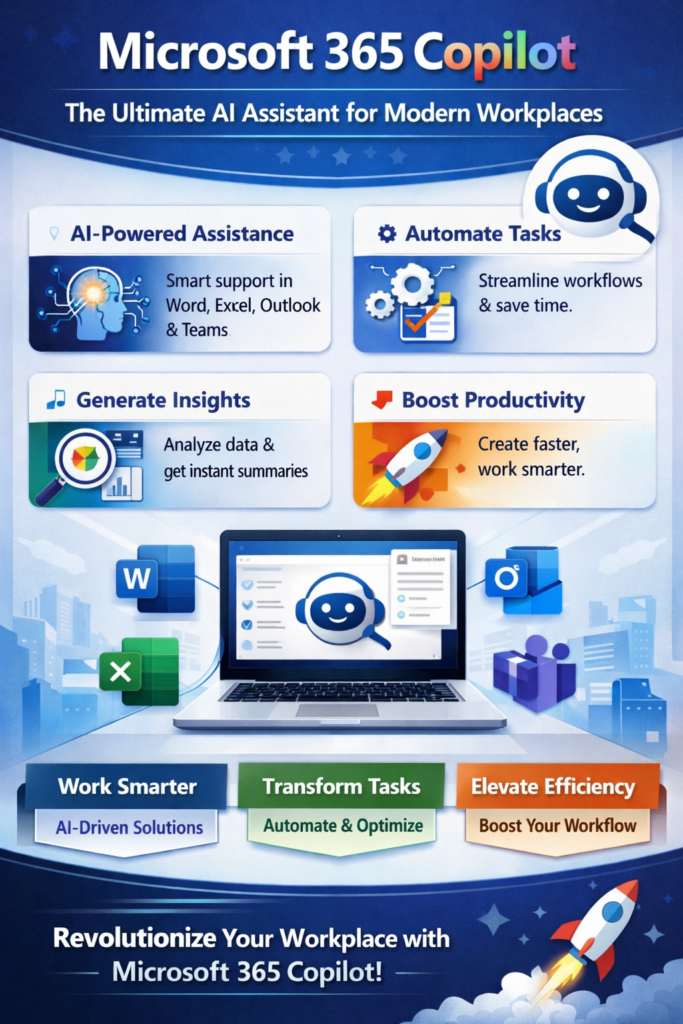
Copilot in Microsoft Word
Copilot helps users create documents using simple text prompts. It rewrites content to improve clarity and tone. Furthermore, Copilot summarizes long documents quickly. It assists with formatting and structure improvements. However, users always control final document changes. Consequently, document creation becomes faster and more accurate.
Copilot in Microsoft Excel
Copilot analyzes spreadsheets without complex formulas. It explains patterns, trends, and insights clearly. In fact, users ask questions using natural language. Furthermore, Copilot creates charts and summaries automatically. It supports faster data-driven decisions. Therefore, Excel becomes easier for non-technical users.
Copilot in Microsoft PowerPoint
Copilot creates presentations from prompts or existing documents. It suggests layouts, visuals, and speaker notes. Meanwhile, users save time designing slides manually. Furthermore, Copilot improves storytelling flow. It ensures consistent formatting across slides. Consequently, presentations look more professional and engaging.
Copilot in Microsoft Outlook
Copilot summarizes long email threads instantly. It drafts email replies based on context. However, users can adjust tone and length easily. In addition, Copilot highlights important action items. It helps prioritize inbox tasks effectively. Therefore, email management becomes faster and simpler.
Copilot in Microsoft Teams
Copilot summarizes meetings and discussions automatically. It captures key points and action items clearly. Meanwhile, users stay focused during meetings. Furthermore, Copilot answers questions from past conversations. It improves collaboration across distributed teams. Consequently, teamwork becomes more productive and organized.
Benefits of Copilot for Business Users
Microsoft 365 Copilot increases productivity for office professionals. It reduces time spent on repetitive administrative tasks. Furthermore, Copilot supports faster and smarter decision-making. Office administrators manage workflows more efficiently. Meanwhile, corporate managers gain better visibility into work. Therefore, organizations achieve improved operational efficiency.
Real-World Use Cases of AI in Microsoft 365
Marketing teams use Copilot to create content faster. Finance teams analyze reports using natural language queries. HR teams draft policies and summarize employee feedback. Meanwhile, managers prepare presentations and meeting summaries. IT teams streamline internal documentation processes. In fact, Copilot adapts across industries and roles.
Security, Privacy, and Compliance in Microsoft 365 Copilot
Microsoft 365 Copilot follows enterprise-grade security standards. It respects existing Microsoft 365 access controls. However, Copilot does not train on customer data. Furthermore, Microsoft keeps data within tenant boundaries. It complies with GDPR and global compliance frameworks. Consequently, organizations trust Copilot for sensitive workloads.
Microsoft 365 Copilot Pricing Overview
Microsoft 365 Copilot follows a premium licensing model. Pricing depends on Microsoft 365 enterprise plans. However, Microsoft targets Copilot for professional users. In addition, organizations should assess return on investment. Meanwhile, Microsoft continues expanding Copilot availability. Finally, pricing may evolve as features mature.
Pros and Cons of Microsoft 365 Copilot
Pros
Microsoft 365 Copilot improves productivity significantly. It integrates seamlessly with familiar Microsoft Office tools. Furthermore, it requires minimal user training. Copilot supports both technical and non-technical users. It enhances collaboration across teams. Therefore, adoption becomes easier for organizations.
Cons
Copilot requires compatible Microsoft 365 licenses. It depends on data quality for accurate results. However, AI suggestions need user review. In addition, smaller teams may face higher costs. On the other hand, value increases with usage scale. Therefore, planning becomes important before adoption.
Conclusion
Microsoft 365 Copilot changes how professionals work daily. It brings AI directly into trusted Microsoft Office applications. Furthermore, Copilot enhances efficiency without disrupting workflows. Office administrators gain automation and clarity. Corporate managers receive faster insights and summaries. Finally, Microsoft 365 Copilot represents the future of workplace productivity.
Frequently Asked Questions
What is Microsoft 365 Copilot?
Microsoft 365 Copilot is an AI assistant built into Microsoft Office applications. It helps users write, analyze, and manage work efficiently.
Who should use Microsoft 365 Copilot?
Office users, administrators, and corporate managers benefit most from Copilot. It supports both technical and non-technical professionals.
Is Microsoft 365 Copilot secure?
Microsoft 365 Copilot follows enterprise security and compliance standards. It only accesses data users already have permission to view.
Which Microsoft apps support Copilot?
Copilot works with Word, Excel, PowerPoint, Outlook, and Teams. Microsoft continues expanding Copilot support.
Does Microsoft 365 Copilot replace employees?
Microsoft 365 Copilot supports employees instead of replacing them. It reduces repetitive tasks and improves productivity.
Is training required to use Microsoft 365 Copilot?
Copilot requires minimal training because it uses natural language prompts. Users learn quickly inside familiar Office tools.
Read our Other Blogs on AI Tools
Top 10 AI Voice, Audio & Transcription Tools in 2025
Top AI Video Tools That Make Images and Videos Easy