

Motion – AI Powered Smart Scheduling
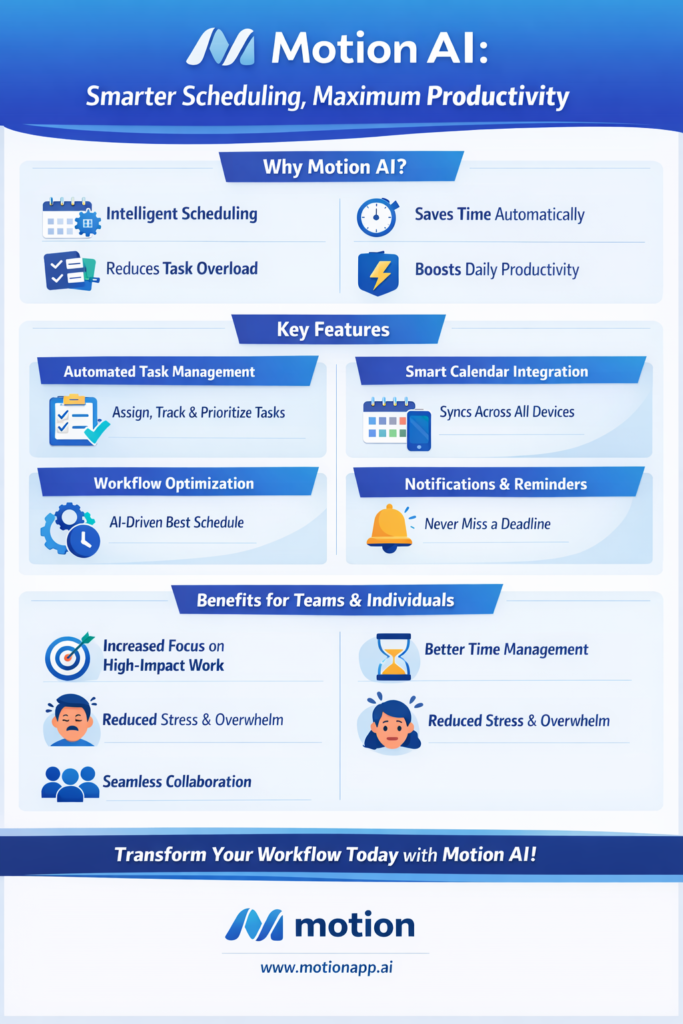
Motion is an AI-powered smart scheduling platform designed to automate daily planning. It helps professionals manage tasks, meetings, and deadlines efficiently.
How Motion Works
Motion connects directly with your calendar and task lists. Users add tasks, deadlines, and priorities into the system.
Then, Motion analyzes availability and schedules tasks automatically. It adjusts schedules instantly when meetings change.
Moreover, Motion blocks focus time for important work. As a result, users avoid overbooking.
Overall, Motion keeps schedules optimized in real time.
Key Features of Motion AI
Motion offers intelligent task scheduling based on deadlines and priority. It places tasks directly on calendars.
Additionally, Motion supports automatic rescheduling. This feature reacts quickly to unexpected changes.
Moreover, Motion provides project and team planning tools. These tools improve workload visibility.
API-friendly integrations support developer workflows.
Benefits of Using Motion
Motion reduces time spent on planning and rescheduling. As a result, productivity increases.
Furthermore, it helps users meet deadlines consistently. It removes decision fatigue from daily work.
Additionally, Motion protects deep focus time. This improves work quality.
Overall, Motion simplifies time management.
Who Should Use Motion?
Web developers benefit from protected deep work scheduling. Motion reduces context switching.
API users manage technical tasks alongside meetings efficiently. Motion balances workloads.
Office administrators coordinate schedules and deadlines easily. Motion improves visibility.
Therefore, Motion suits busy professionals and teams.
Pricing & Plans
Motion follows a subscription-based pricing model. Plans support individuals and teams.
Moreover, pricing includes access to smart scheduling features. Team plans support collaboration.
Additionally, Motion may offer trial access for new users.
Therefore, pricing scales with usage needs.
Limitations of Motion
Motion requires accurate task input for best results. Poor data affects scheduling quality.
Additionally, some users prefer manual schedule control. Motion relies heavily on automation.
Calendar integration remains essential for full functionality.
Understanding these limits improves adoption.
Frequently Asked Questions
Is Motion suitable for developers?
Yes, Motion supports deep work scheduling and structured planning.
Can office administrators use Motion easily?
Yes, Motion automates scheduling without technical complexity.
Does Motion support team workflows?
Yes, Motion includes shared project and team planning features.
Does Motion require manual scheduling?
No, Motion schedules tasks automatically using AI.
AI Blogs
Lindy AI – Virtual Executive Assistant Tool
Top AI Video Tools That Make Images and Videos Easy
Best AI Writing and Productivity Tools for Creators